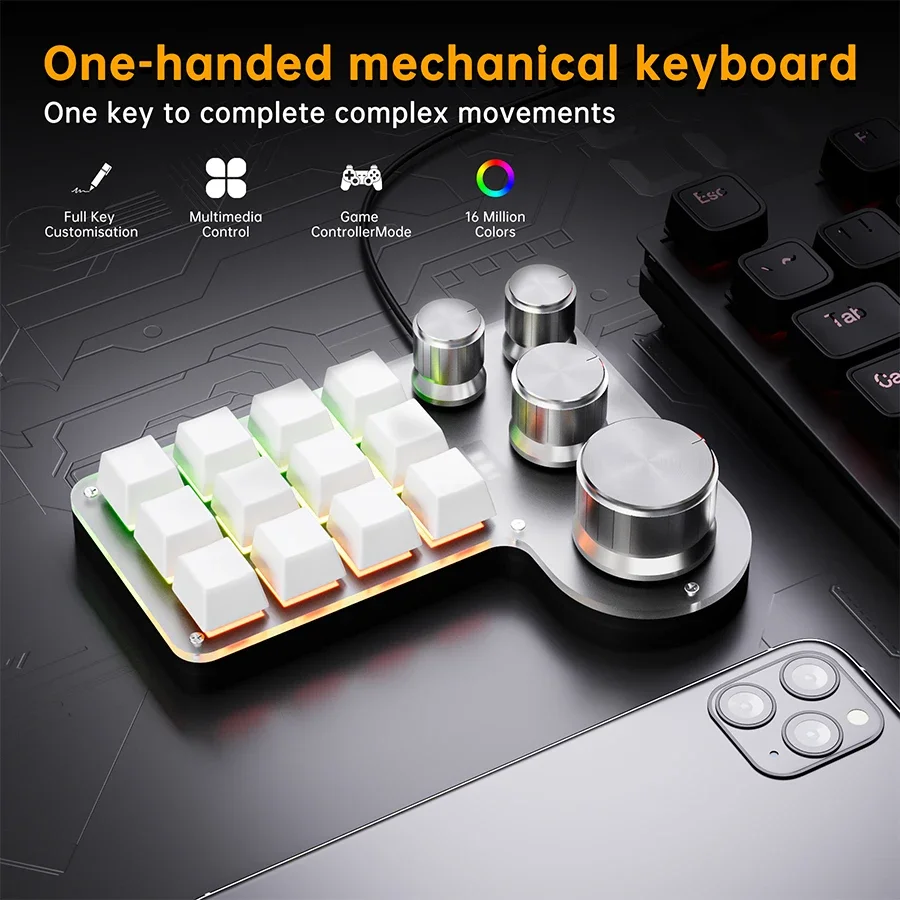
3 Modes 12 Keys Mechanical Keyboard 4 Knobs Custom Programming Macro Gaming Keyboard RGB Bluetooth 2.4G USB Wired Keypad for PS
3 Modes 12 Keys Mechanical Keyboard 4 Knobs Custom Programming Macro Gaming Keyboard RGB Bluetooth 2.4G USB Wired Keypad for PS
Couldn't load pickup availability
SPECIFICATIONS
Application: Desktop,Laptop,Tablet
Backlight Type: Multicolor
Battery Included: Yes
Brand Name: ammtoo
Choice: yes
Full Size keyboard: No
High-concerned chemical: None
Interface Type: USB,Bluetooth,Bluetooth / USB,USB
Keyboard Standard: Mini Keyboard
Language: Europe,Brazilian,Russian,Korean,Japanese,UK,French,Hebrew,English
Operation Style: Mechanical
Origin: Mainland China
Package: Yes
Style: Standard,Multimedia,Gaming,Mini,Multifunctional Keyboard,Multimedia, Mini, Multifunctional Keyboard
Switches Hot swap: Yes
Type: Wired
Wrist Support: No
Features:
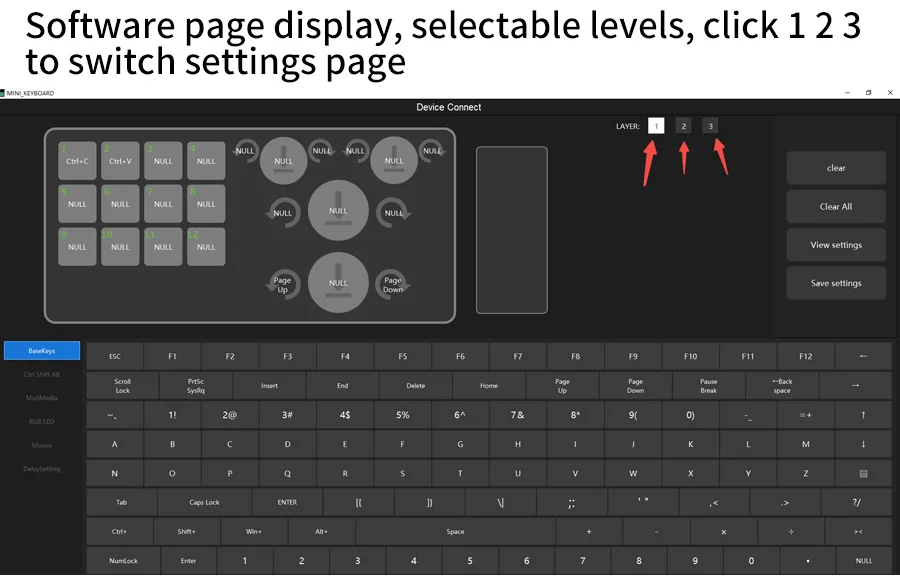
1. Multi-function control: Each button and knob can be individually set. You can set shortcut keys or other passwords as needed, up to max 18 characters.
2. Three layers with LED indicators: Our mechanical gaming keyboard offers layered functions with tactile LED indicators to ensure you always know your operating environment. Whether it's work or entertainment, you can easily switch between modes for a tailored keyboard experience.
3. It has RGB lighting effects and can be set in three layers;RGB will automatically turn off in wireless mode.
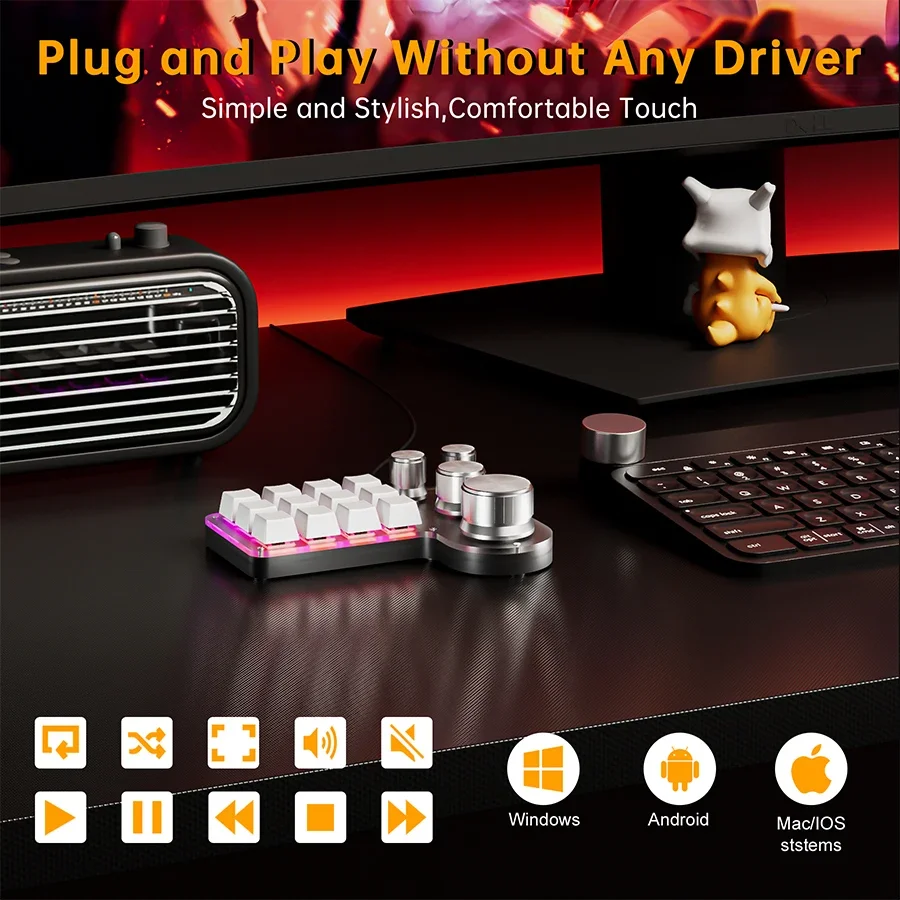
4. Customizable key mapping and wide application: Photoshop gaming keyboard meets the needs of a wide range of users from designers to gamers. Customize keys for quick access to music, multimedia, and more while enjoying the space-saving design and detachable USB-C convenience.
Three models are available: wired mode, wired+Bluetooth dual mode, wired+Bluetooth+2.4G 3 mode
1. The wired model has one less charging indicator light than the Bluetooth model;
2. The wired model has one less toggle switch than the Bluetooth model;
3. It has RGB lighting effects and can be set in three layers;RGB will automatically turn off in wireless mode.
4.Before using Bluetooth or 2.4G connection, it is necessary to set it up in wired mode and then use wireless mode.
Specification:
Name: Mechanical Keyboard
Material: ABS shell and keycap + aluminum alloy knob
Bluetooth compatibility: Version 5.0
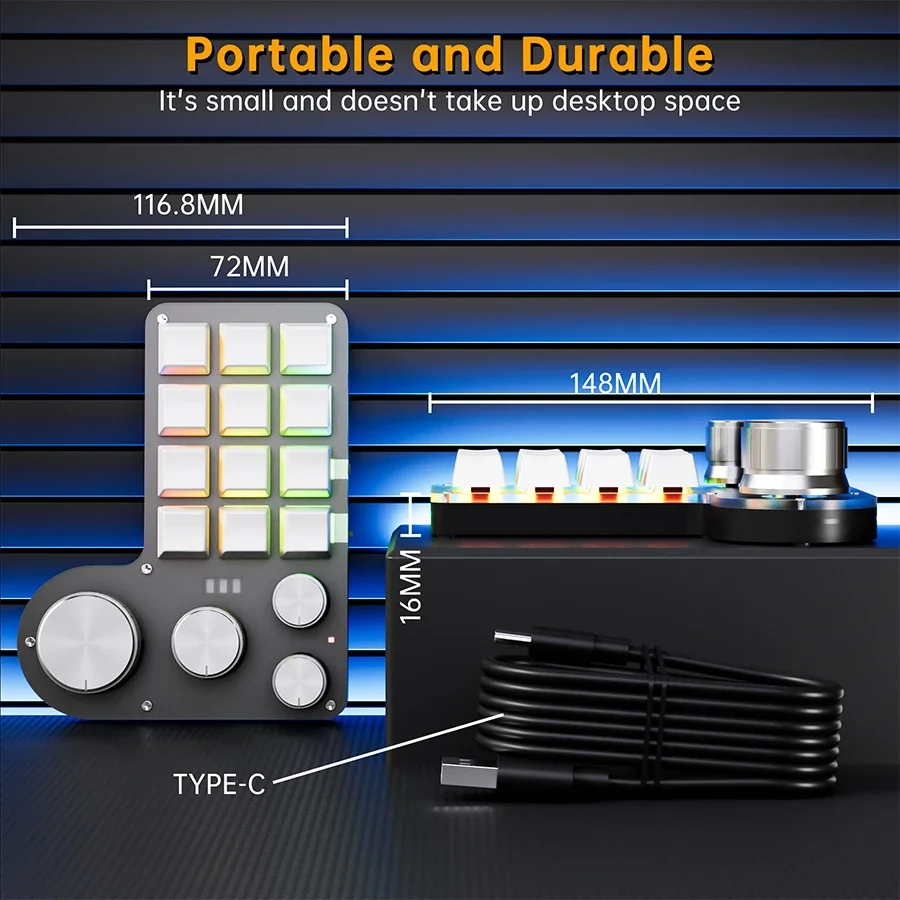
Number of keys: 12 keys
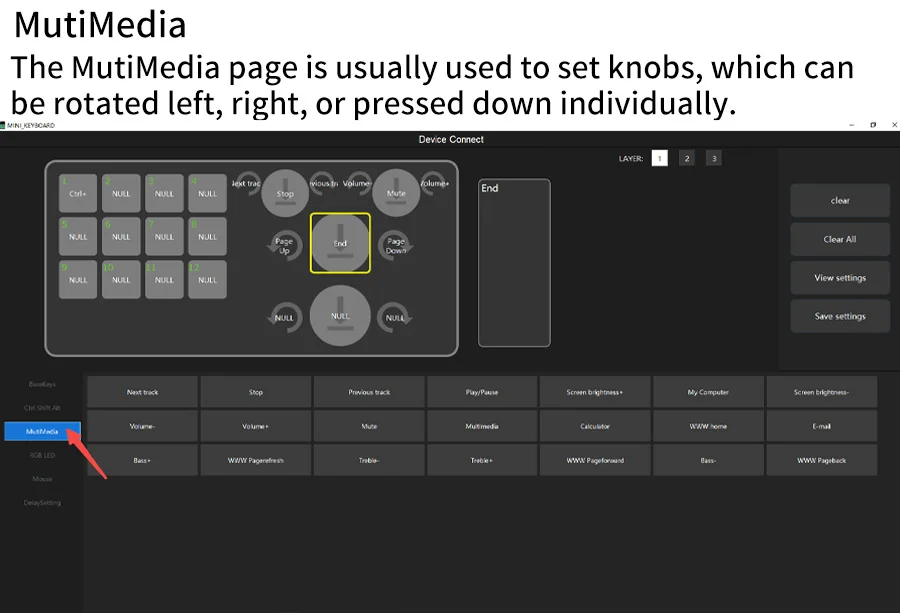
Knobs: 4 knobs (The knob can have three functions: left, right, and down, all of which can be individually set.)
Lighting effect: RGB
Indicator light: Charging indicator light, lights green when fully charged
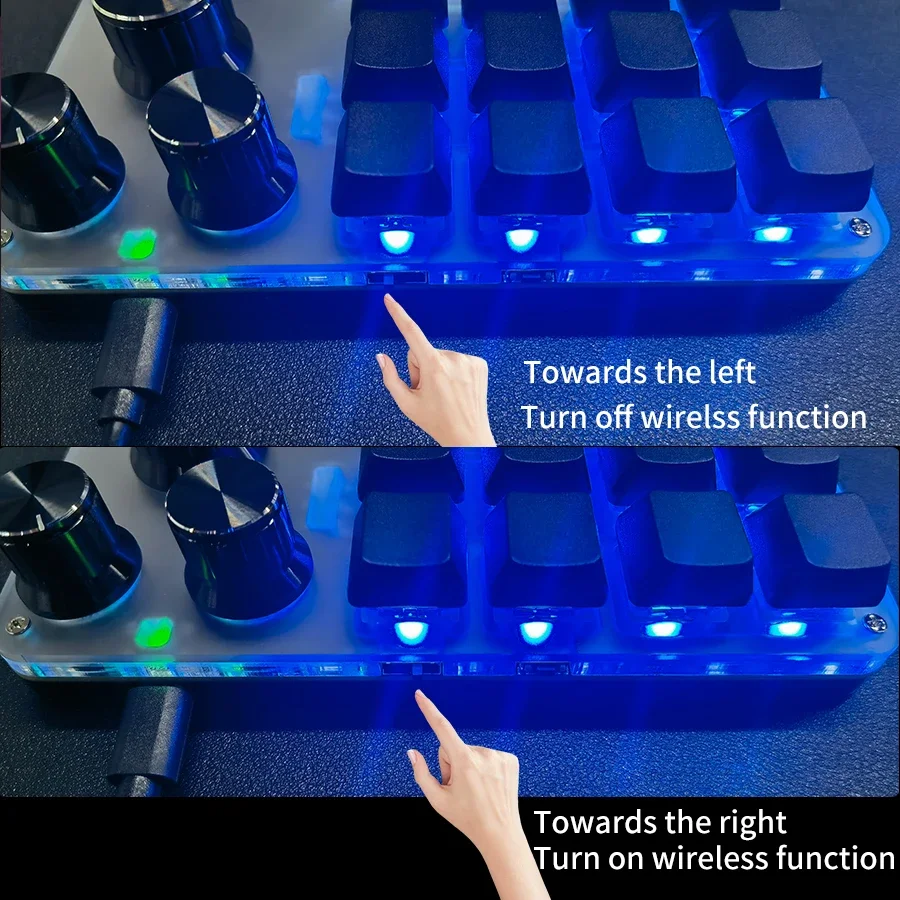
ON/OFF button: The toggle switch of the Bluetooth model is the Bluetooth switch
Interface: Type-C
Application: Desktop, laptop
Wire length: 1 meter
Packing included:
1 * Mechanical Keyboard
1 * Type-C data cable
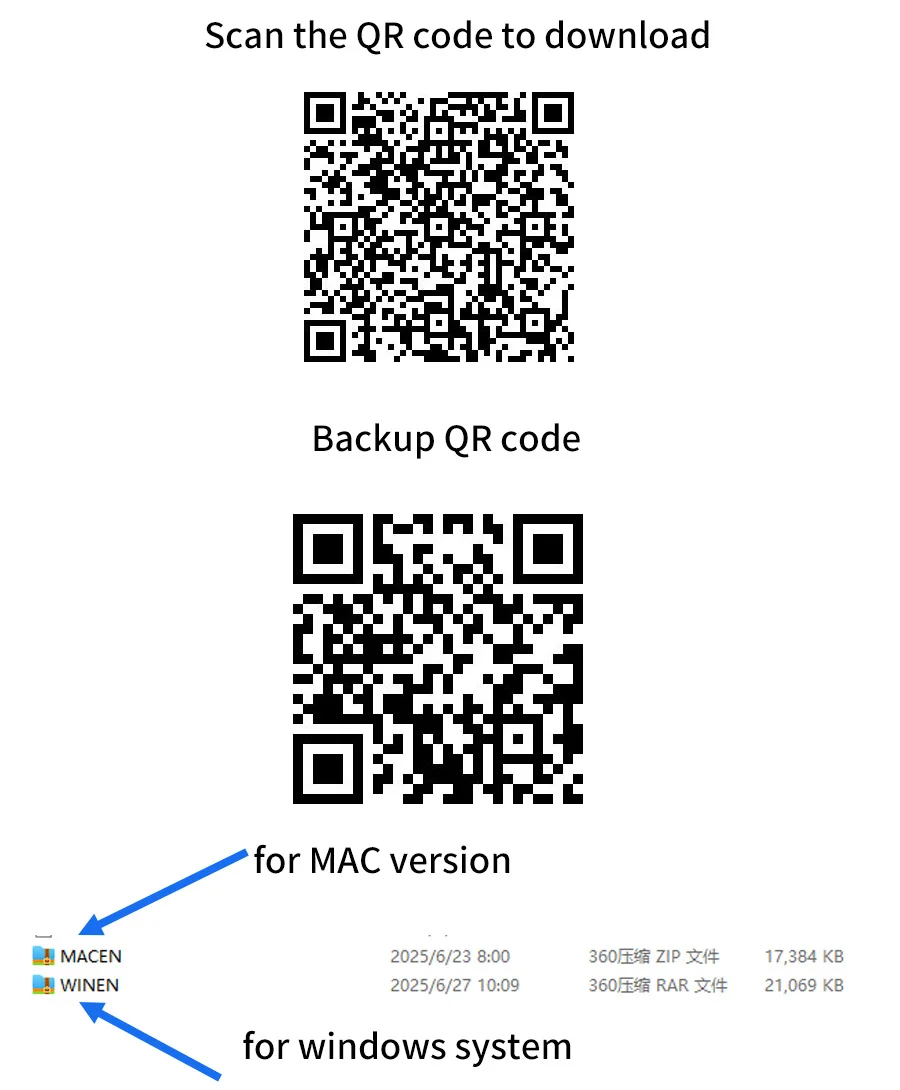
Scan the QR code to download. If it doesn't work, you can scan the backup QR code.
Alternatively, you can open the link below to download, both links are available.
http://szxiaozi.com/tool.zip
https://drive.google.com/file/d/1pRjmmu8pTPYcyYjo0LG1MlGlAR-u2yND/view?usp=sharing
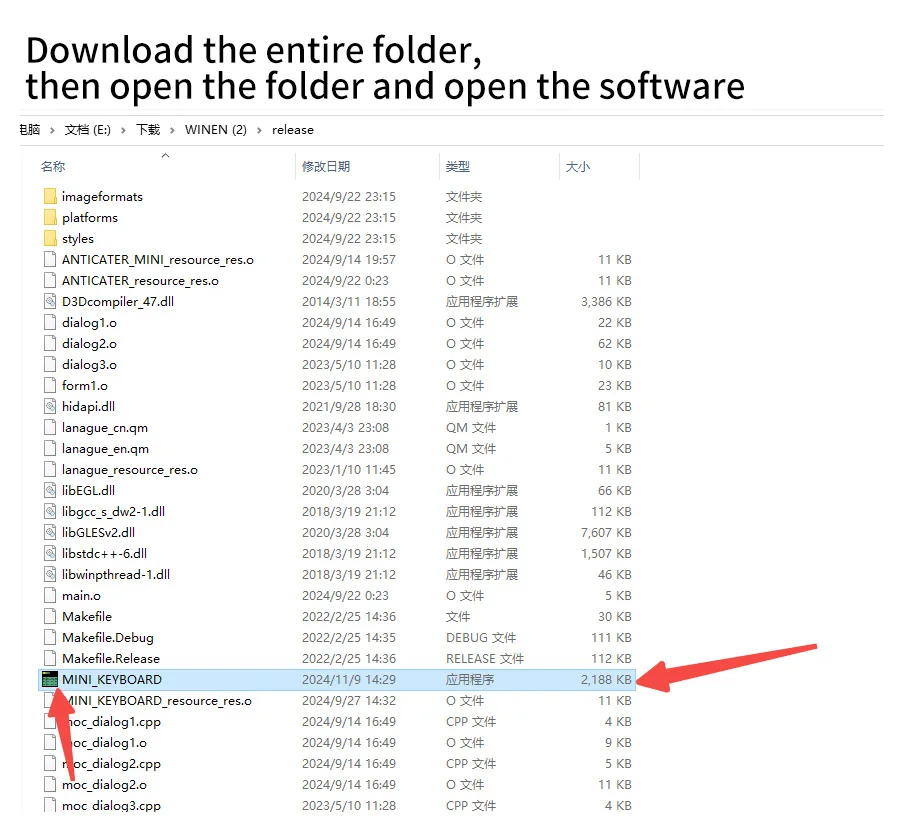
Download the entire folder, then open the folder and open the software
choose version according to your computer
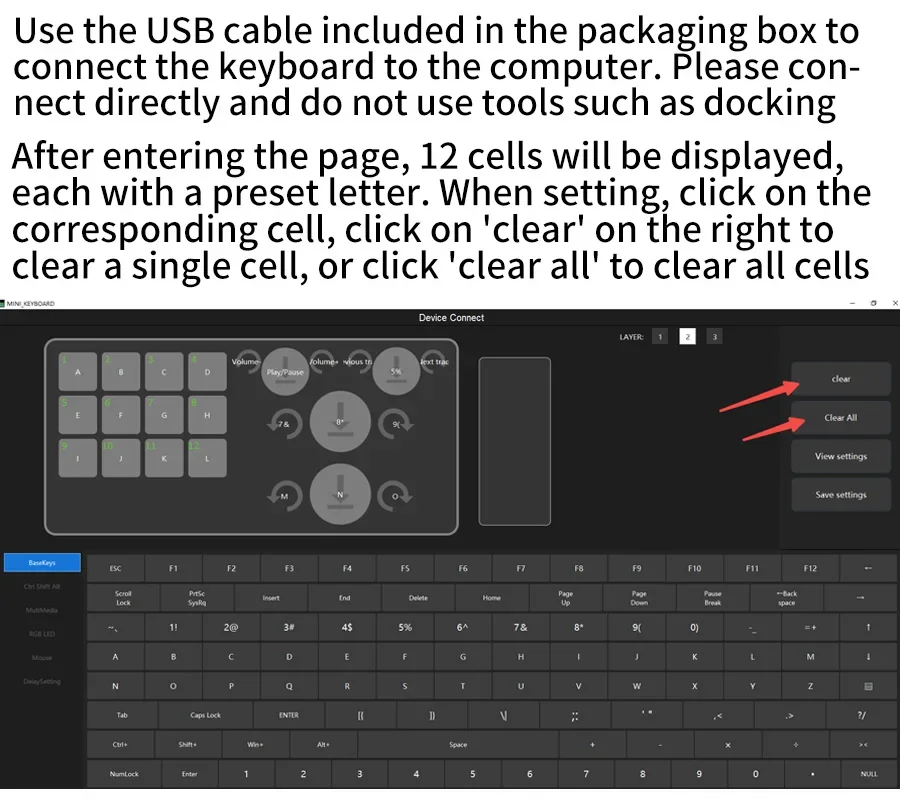
Connect the keyboard to the computer directly with the USB cable comes within the packaging box .Do not use tools such as docking station hub
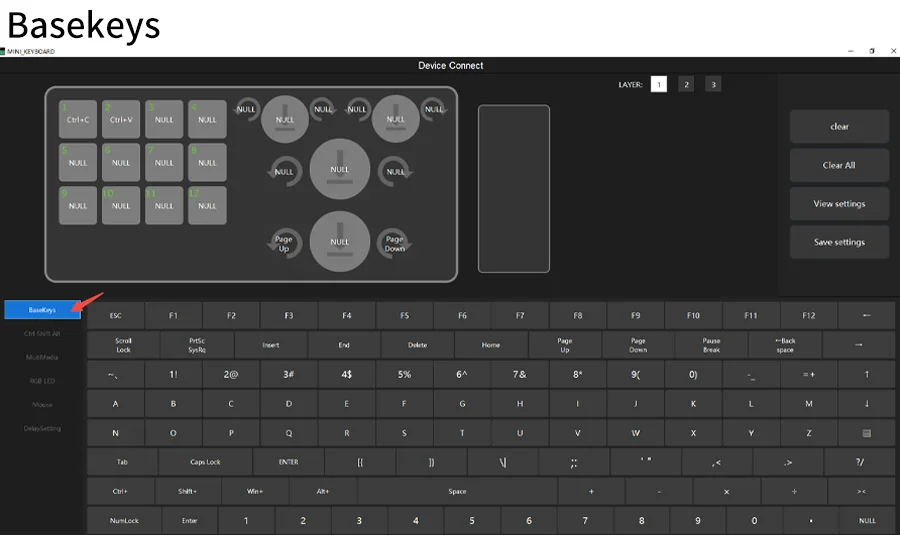
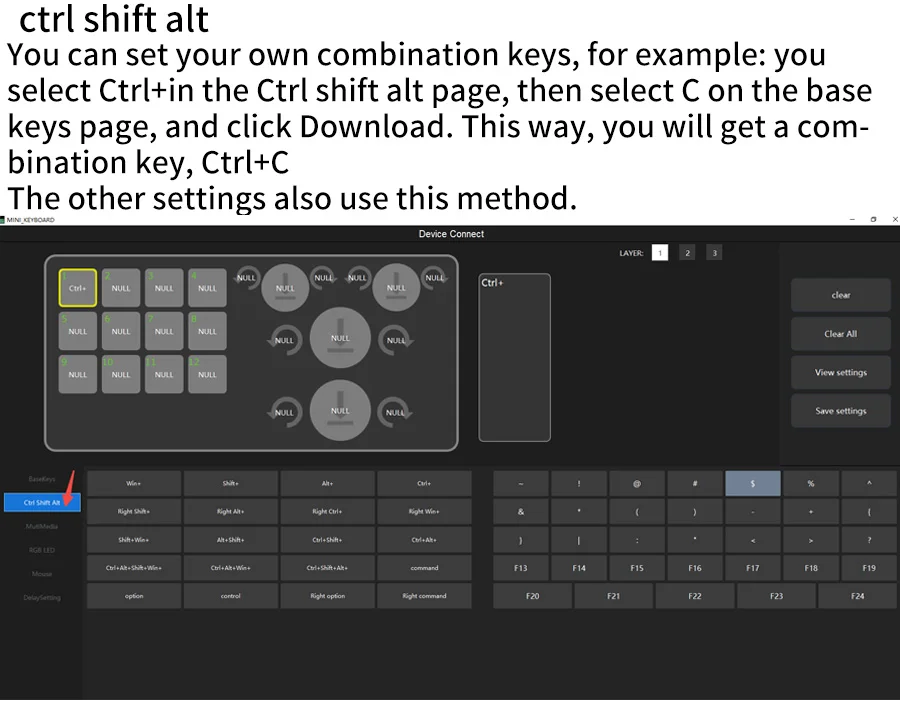
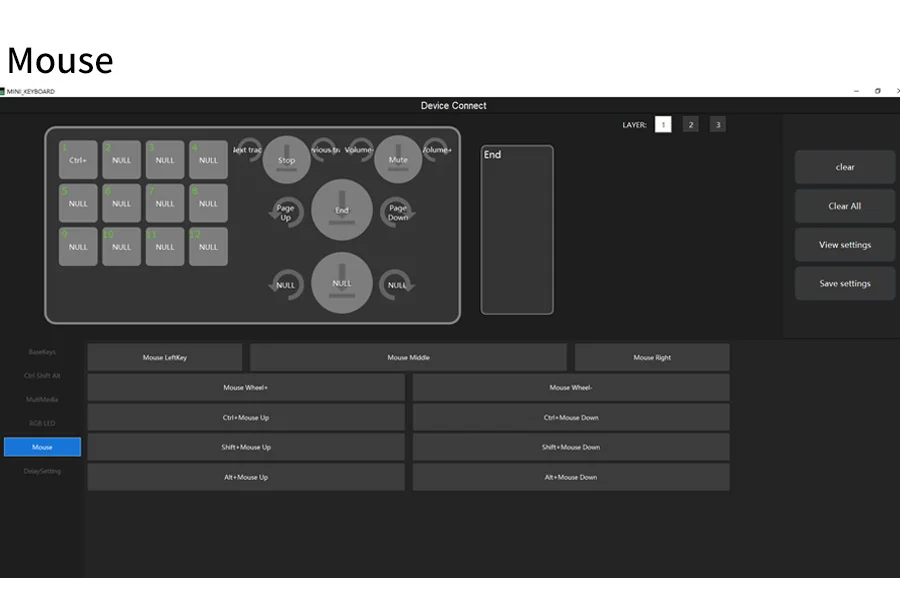
You can set your own combination keys,for example: you select Ctrl+in the Ctrl shift alt page,then select C on the base keys page,and click Download. This way, you will get a combinationkey,Ctrl+C.
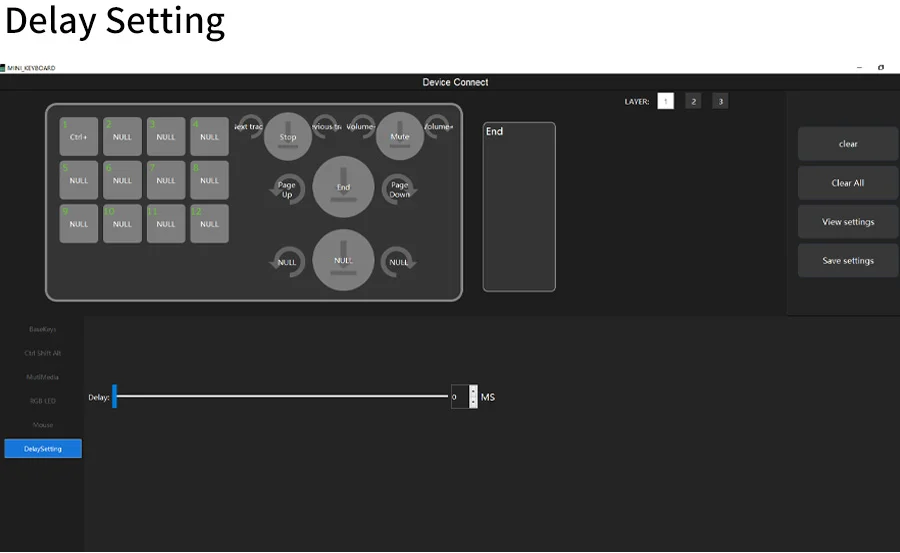
The other settings also use this method.
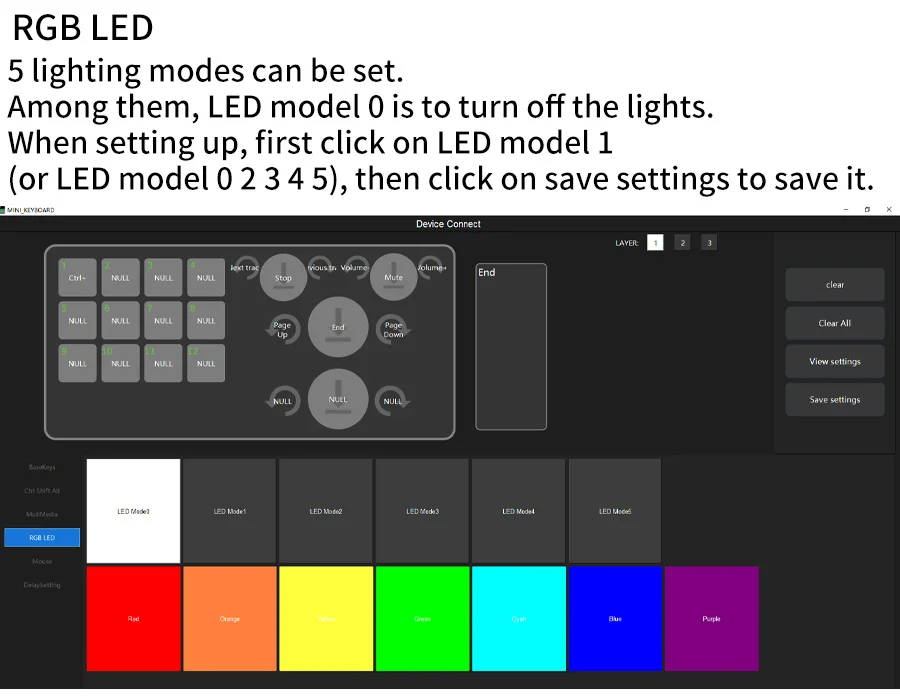
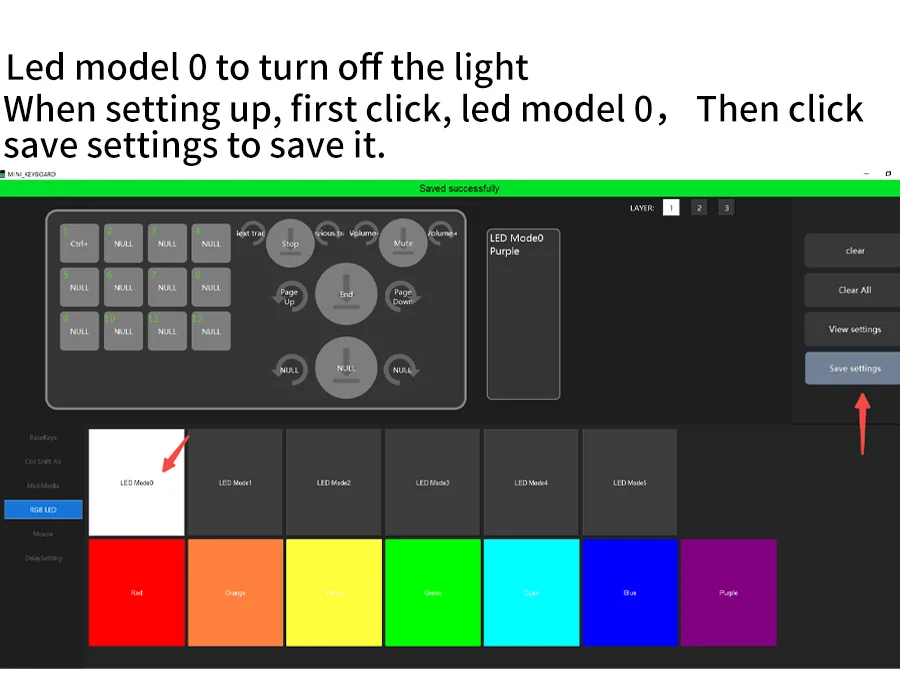
Led model 0 to turn off the light
When setting up,first click,led model 0, and
then click save settings to save it.
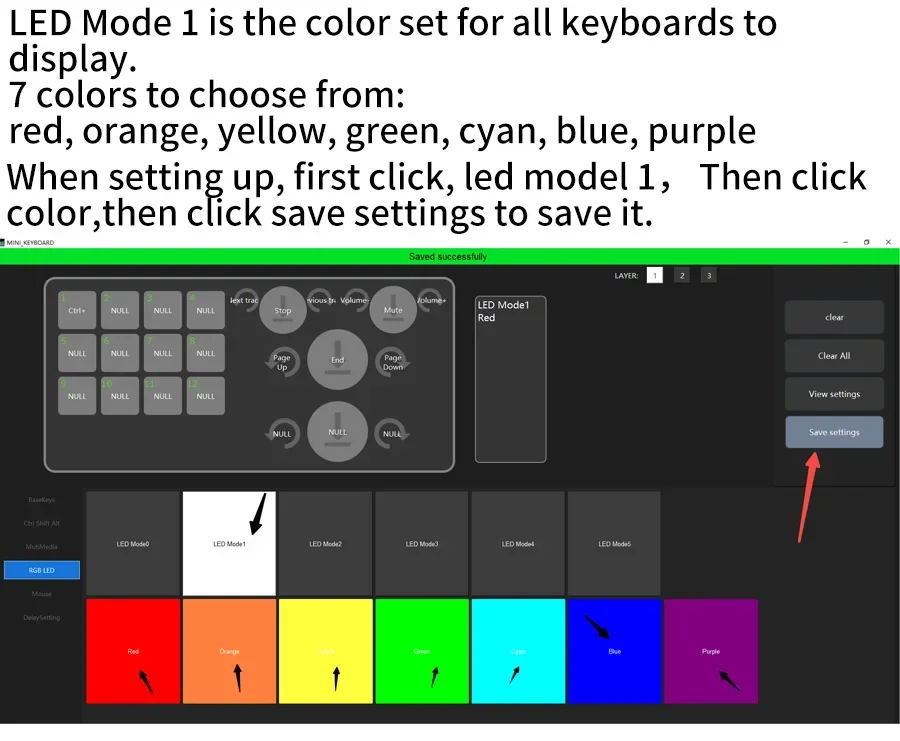
Led model 1
LED Mode 1 is the color set for all keyboards to
display.
7 colors to choose from:
red,orange,yellow,green,cyan,blue,purple
When setting up,first click, led model 1,Then click color,then click save settings to save it.
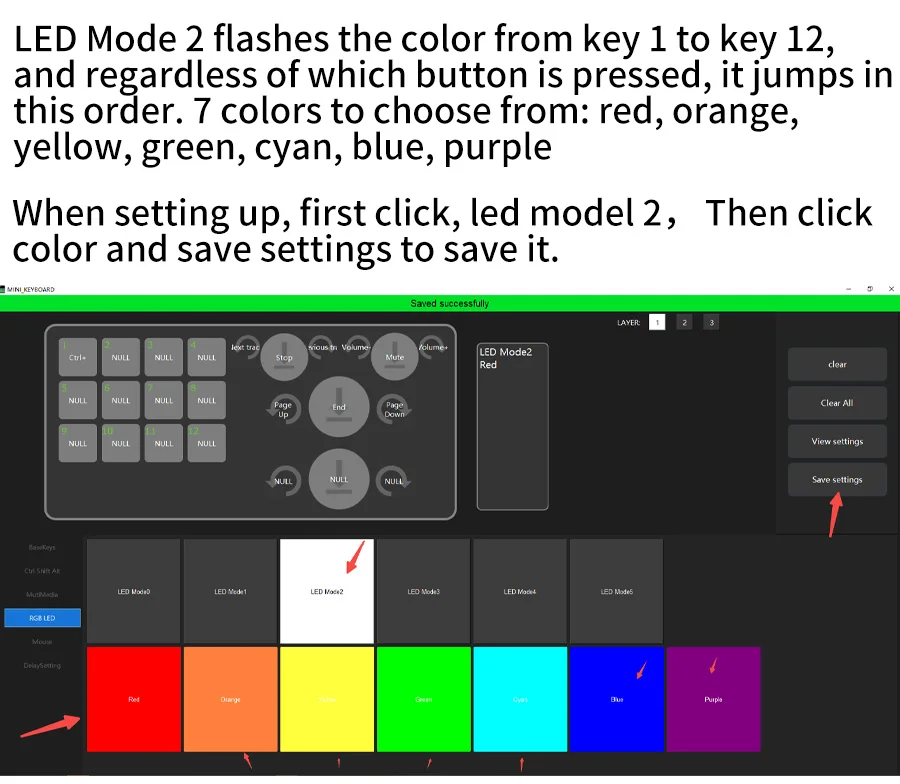
Led model 2
LED Mode 2 flashes the color from key 1 to key 12,and regardless of which button is pressed, it jumps in this order. 7 colors to choose from:red, orange,yellow,green,cyan,blue,purple
When setting up,first click,led model 2,Then click
color and save settings to save it.
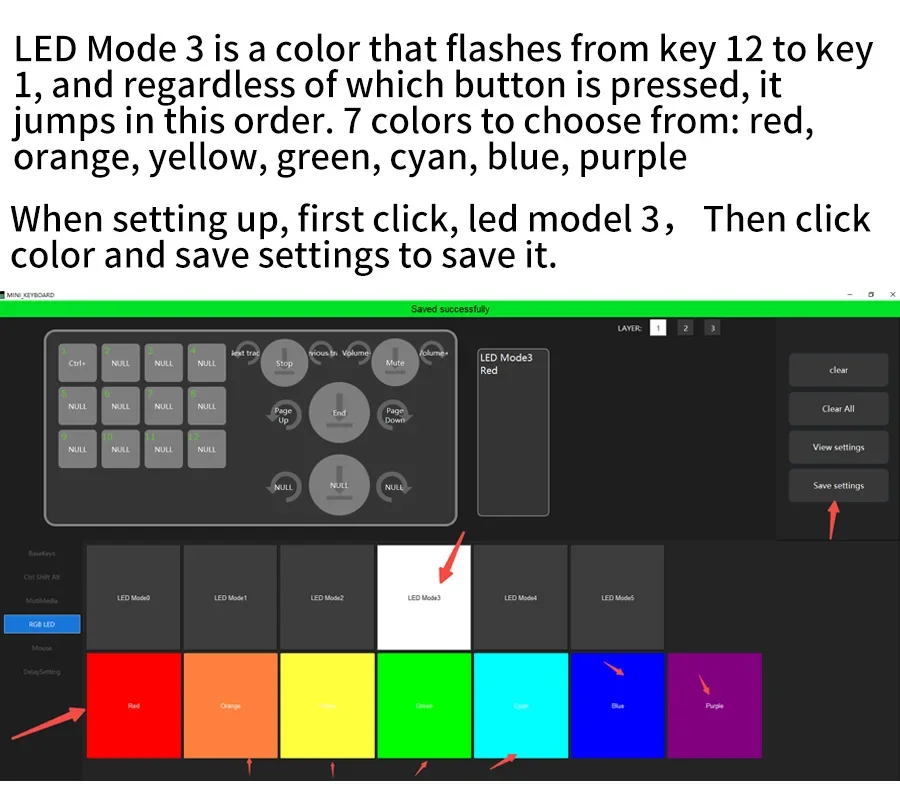
Led model 3
LED Mode 3 is a color that flashes from key 12 to key1,and regardless of which button is pressed, it jumps in this order. 7 colors to choose from:red,orange,yellow,green,cyan,blue,purple
When setting up,first click,led model3,Then click
color and save settings to save it.
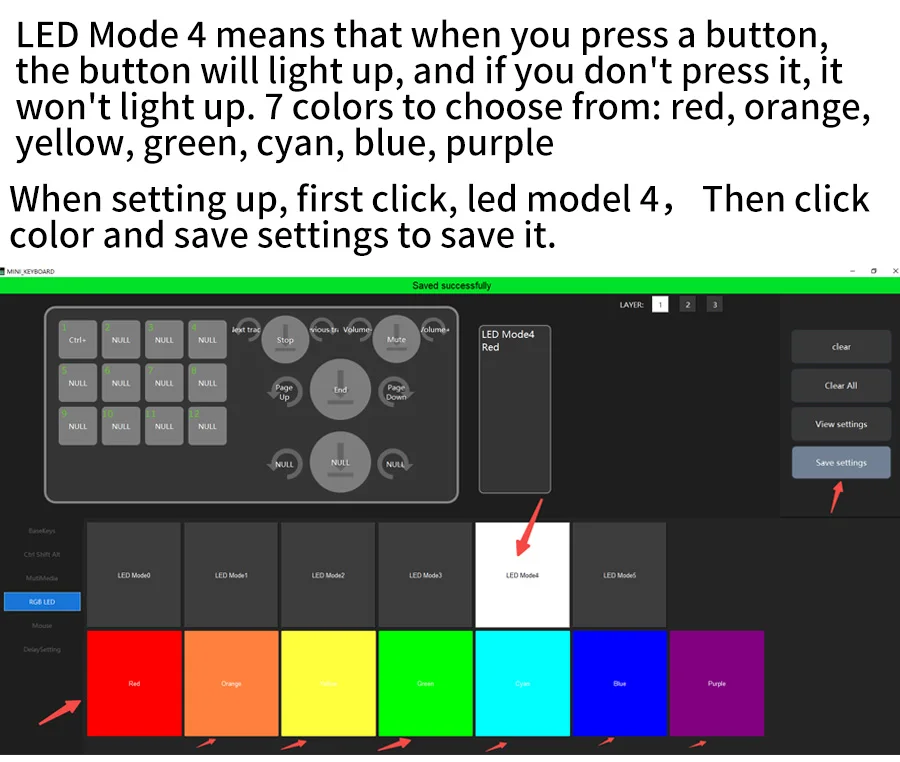
Led model 4
LED Mode 4 means that when you press a button,the button will light up, and if you don't press it, it won't light up.
7 colors to choose from: red, orange,yellow,green, cyan,blue,purple
When setting up,first click,led model 4,Then click
color and save settings to save it.
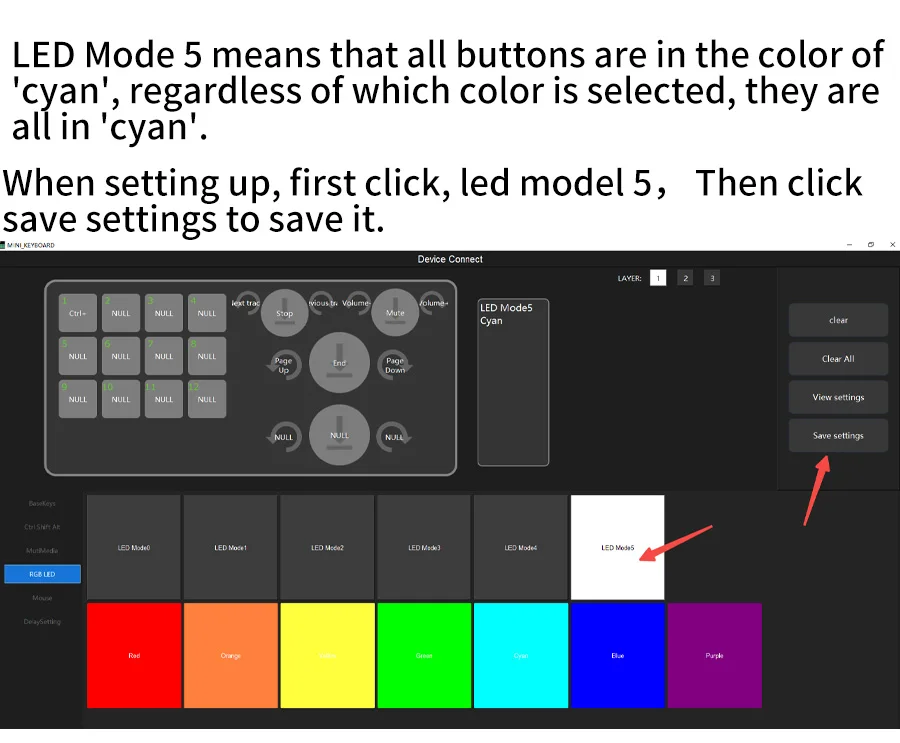
Led model 5
LED Mode 5 means that all buttons are in the color of 'cyan', regardless of which color is selected, they are all in 'cyan'.
When setting up,first click,led model 5,Then click
save settings to save it.
To use a wireless connection, such as Bluetooth or 2.4G, please turn on the switch first. To turn left is turned off, and to turn right is turned on.
First, use a wired connection, set up the keyboard keys, then unplug the data cable and turn on the wireless switch of the keyboard. Search for nearby devices using the computer's Bluetooth function, select the mini keyboard, and once connected successfully, you can use it. The 2.4G connection method also involves wired connection to the computer first. After setting up, unplug the USB data cable and plug the 2.4G USB plug into the computer to use it
Wireless connection, the lights will automatically turn off.